Your music.
Everyone’s headphones.
Turn your Mac into a silent disco. Play your music and invite friends to listen on their own headphones.
Host on your Mac
Free · macOS 13 or later
Not sure? Check Apple menu → About This Mac for your chip or processor.
Start hosting on your Mac, then share a QR code from Discofish to invite your listeners.
How it works
Three steps from download to dance floor. No accounts, no audio gear to rent — guests bring their own headphones.
Download
Grab the DMG, drag Discofish to Applications, and open it.
Go live
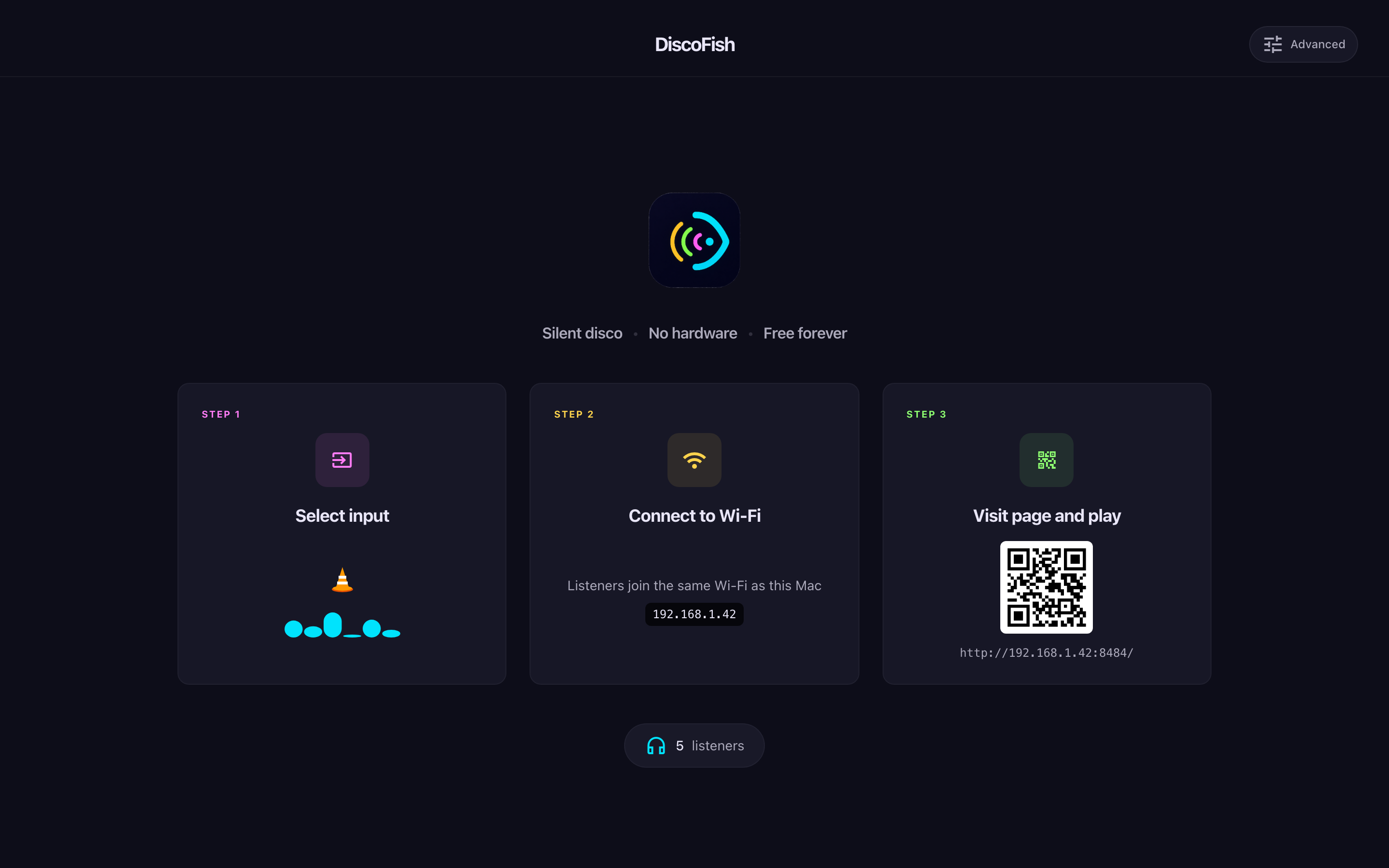
Choose an app, window, or audio input to share. Grant the requested audio permissions, start your music, and keep Discofish running on your Mac.
Tune in
Share the Browser QR with guests on your local network. For listeners elsewhere, share the App pairing QR to scan inside Discofish on their phone. Choose a channel, put headphones on, and press play.
See it in action
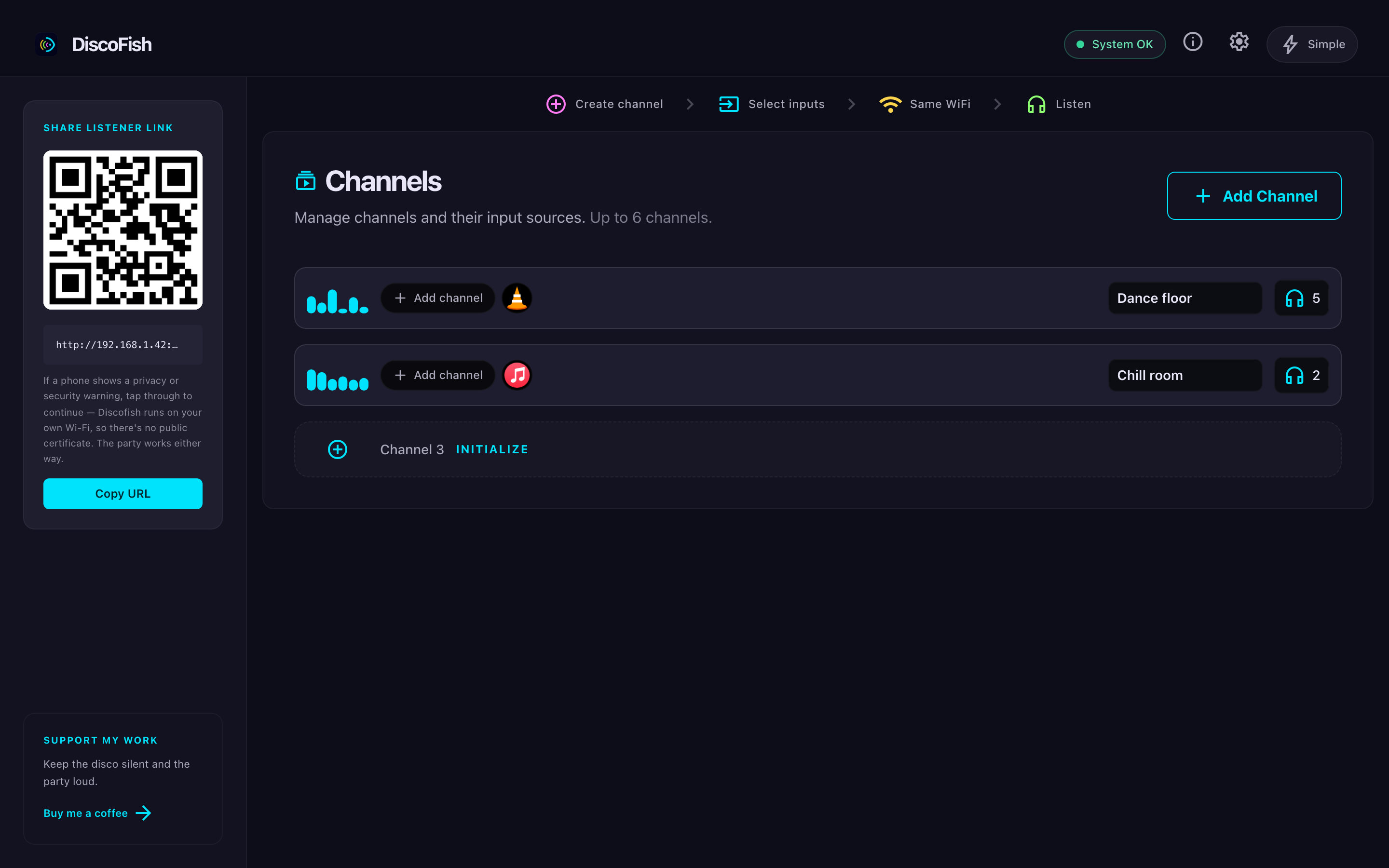
Here's a party in progress — VLC playing on the host Mac, friends tuned in over Wi-Fi.
The details
Everything you need to host a silent disco. Nothing you don't.
Audio goes straight to your guests
Browser listeners receive audio over your local network. App listeners connect to your Mac over an encrypted peer-to-peer connection. Your music is not uploaded to a cloud audio service.
Everyone on the same beat
Discofish adjusts playback to keep listeners in time. Network conditions and headphones can affect latency, especially with Bluetooth.
Listen in the browser
Guests on your local network scan the Browser QR and listen without installing an app. They choose a channel and use their own headphones.
Up to six channels
Run different streams for different vibes in one party. Guests switch channels whenever they like.
Beyond the Wi-Fi
The App pairing QR connects phone listeners to your Mac over the internet. They can use Wi-Fi or mobile data; your Mac stays online and hosts the stream.
Free, forever
No accounts or subscriptions. Guests join for free, and your network and Mac determine how many listeners you can support. If Discofish makes your party, you can buy the developer a coffee.
Ready when you are.
Download Discofish on your Mac, choose your music, and invite your guests. They bring the headphones; you bring the party.
Download for MacFree · macOS 13 or later